
Podcast review and approval for editors
Share an episode, collect timestamped feedback from hosts and producers, and confirm the approved edit before delivery. Reviewers do not need an account.
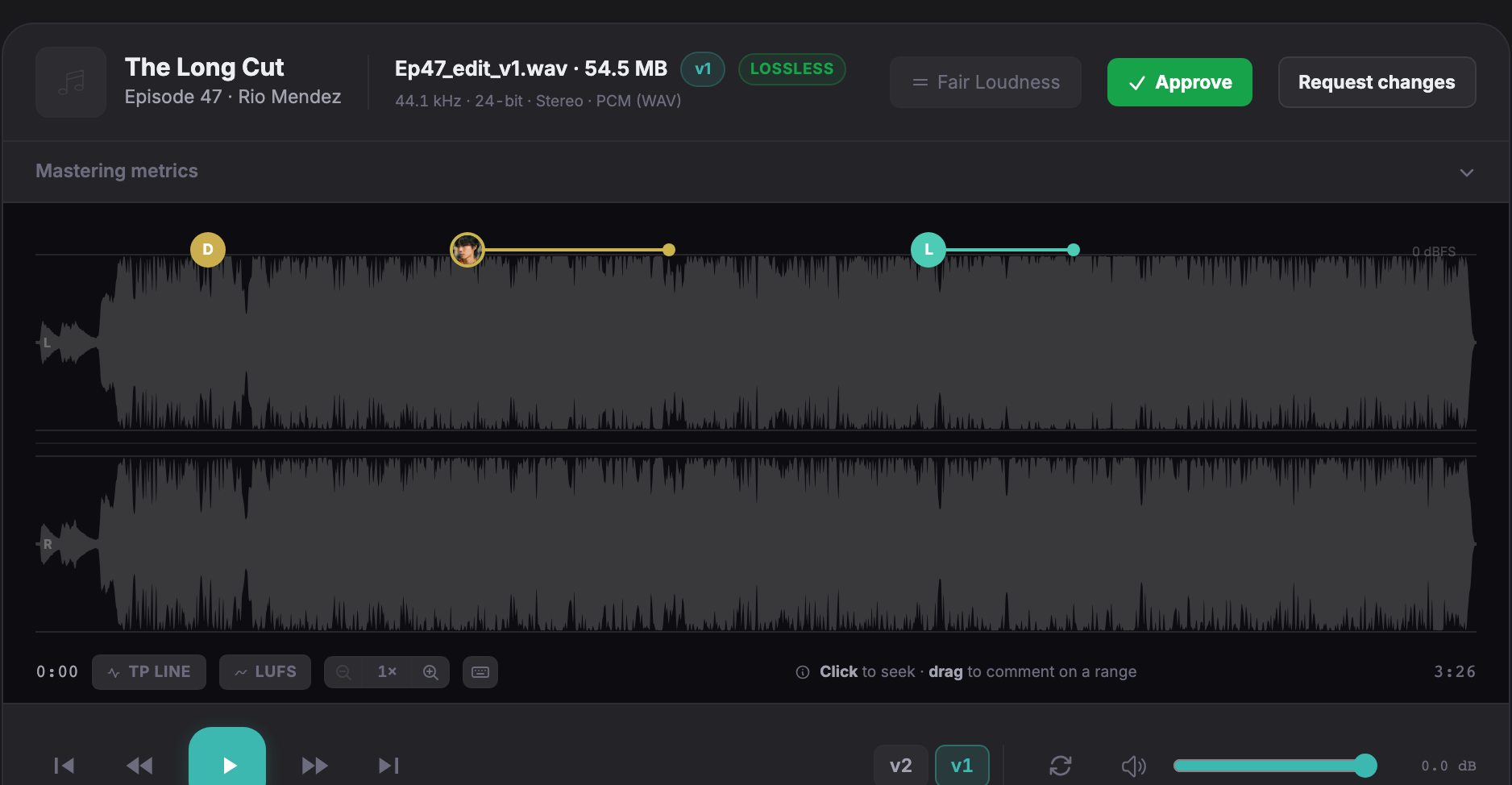
Collect notes on the episode
The host or producer opens the review link and marks the passage they want changed. A comment can refer to a point, such as a cough at 3:41, or a range to remove. You can reply to clarify the request before editing.
Keep feedback with each revision
Upload the next edit as a new version of the same track. Open comments carry forward at the same timestamps; resolved comments stay on the earlier version. Soneam does not move comments to account for cuts. If you remove 40 seconds from the introduction, check the position of each carried comment.
Confirm the final edit
The reviewer selects Approve and checks the episode and version. Soneam records the supplied name, optional email, time, IP address, note and selected version. You can print the approval record. It does not verify the reviewer’s identity and is not an e-signature.
Control the final download
Set a balance in Delivery if payment is due before download. With Stripe connected and card payments enabled, successful payment unlocks the released files automatically. For a bank transfer, verify that the money arrived before marking the delivery as paid. Soneam charges no transaction fee; payment processing fees apply.
The episode remains available for review while downloads are locked. A listener can still record audio they can play. See payment and delivery instructions.
Check the episode’s loudness
The free loudness meter measures integrated LUFS and true peak. Apple Podcasts recommends overall loudness around −16 LKFS, with a ±1 dB tolerance, and true peak at or below −1 dB. Confirm the required format and channel layout with your publisher. The meter’s mono reference is −19 LUFS; that is a tool reference, not a separate mono requirement stated on Apple’s page.
Editing and publishing support
Soneam handles review, approval and file delivery. It does not export comments as DAW markers, so you read the notes here and make changes in your editor. It does not create chapter markers, transcripts or show notes, and it does not publish to an RSS feed.
The service was developed for mixing and mastering work. Podcast editors can use the audio review workflow, but should check these limits before moving a show. The Notetracks comparison covers DAW comment export and video review.
To try the workflow, upload an episode to the Free plan and open the client link. Check playback, comments and approval before sending it to your host. See the changelog for released features.
Frequently asked questions
Can more than one person leave notes on the same episode?
Yes. Hosts, producers and clients can comment through the same review link without accounts. Comments use the names reviewers supply. Link passwords apply when enabled.
What loudness should a podcast episode be?
Apple Podcasts recommends overall loudness around −16 LKFS, with a ±1 dB tolerance, and true peak at or below −1 dB. Confirm the file format and channel layout with your publisher. Soneam’s meter uses a −19 LUFS reference for mono files; Apple’s page does not state this as a separate mono requirement.
Can I use this for video episodes?
Soneam reviews audio. You can review the audio exported from a video episode, but picture review requires a separate tool.
Does it do chapter markers, transcripts or my RSS feed?
No. Soneam handles audio review, approval and delivery. Use your editor or publishing service for chapter markers, transcripts and RSS publishing.
Has Soneam been built for podcast editors?
It was developed for mixing and mastering engineers. Podcast editors can use its audio review and delivery features, but it does not include DAW marker export or podcast publishing tools.

Try it on one episode
Upload an episode and check the review link before sharing it with your host. The Free plan includes playback, comments, approval, delivery, 5 GB and up to 3 versions per track, with no card required.