
How can singers give mix feedback from their phones?
Send a Soneam review link in your usual chat. Singers can listen, pause and leave a comment or voice note in their browser, without installing an app.
If you produce tracks for singers who review on their phones, send them a Soneam review link. They can play the mix and comment without installing an app or creating an account. These are the steps to pass on to them.
-
Open the link and press play. Pause at the part you want to discuss, then scroll to the comment box below the player.
-
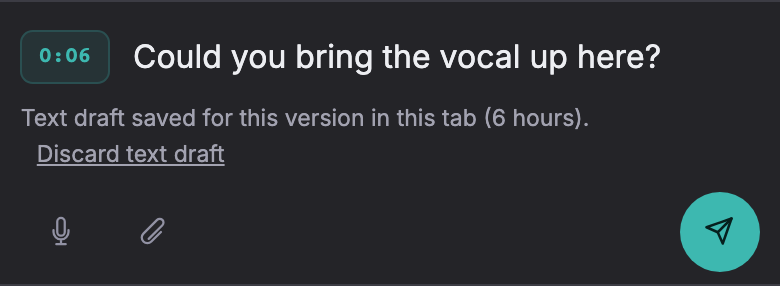
Check the time beside the comment box. Tap it to set the comment to the current playback position, then type your note.
-
For a voice note, tap the microphone and allow microphone access if asked. Tap it again to stop recording. You can also use the paperclip to attach a file.
-
Press the send arrow. The first time, enter the name you want shown with your comment. Check that the comment appears in the list with the intended time.
If the link opens inside a chat app
If recording or saving files does not work inside Instagram, WhatsApp or another app, copy the link and open it in Safari or Chrome. Recording requires microphone permission and a browser that supports it; a text comment is another option.
Playback uses lossless audio. On iPhone and iPad, playback can continue with the screen locked; see the lock-screen playback notes for supported controls. To leave a comment, return to the review page.
Try it in Soneam
Open the demo on your phone and try a comment. When you are ready to send your own mix, create a free account.
You need a free account to upload a mix. Your clients do not need one to listen or comment.
Not covered here? Write to support@soneam.com.