
How do I make client approval an actual step?
Send the mix as a Soneam review link and ask the client to press Approve on the version they accept. Soneam records who approved which version and when.
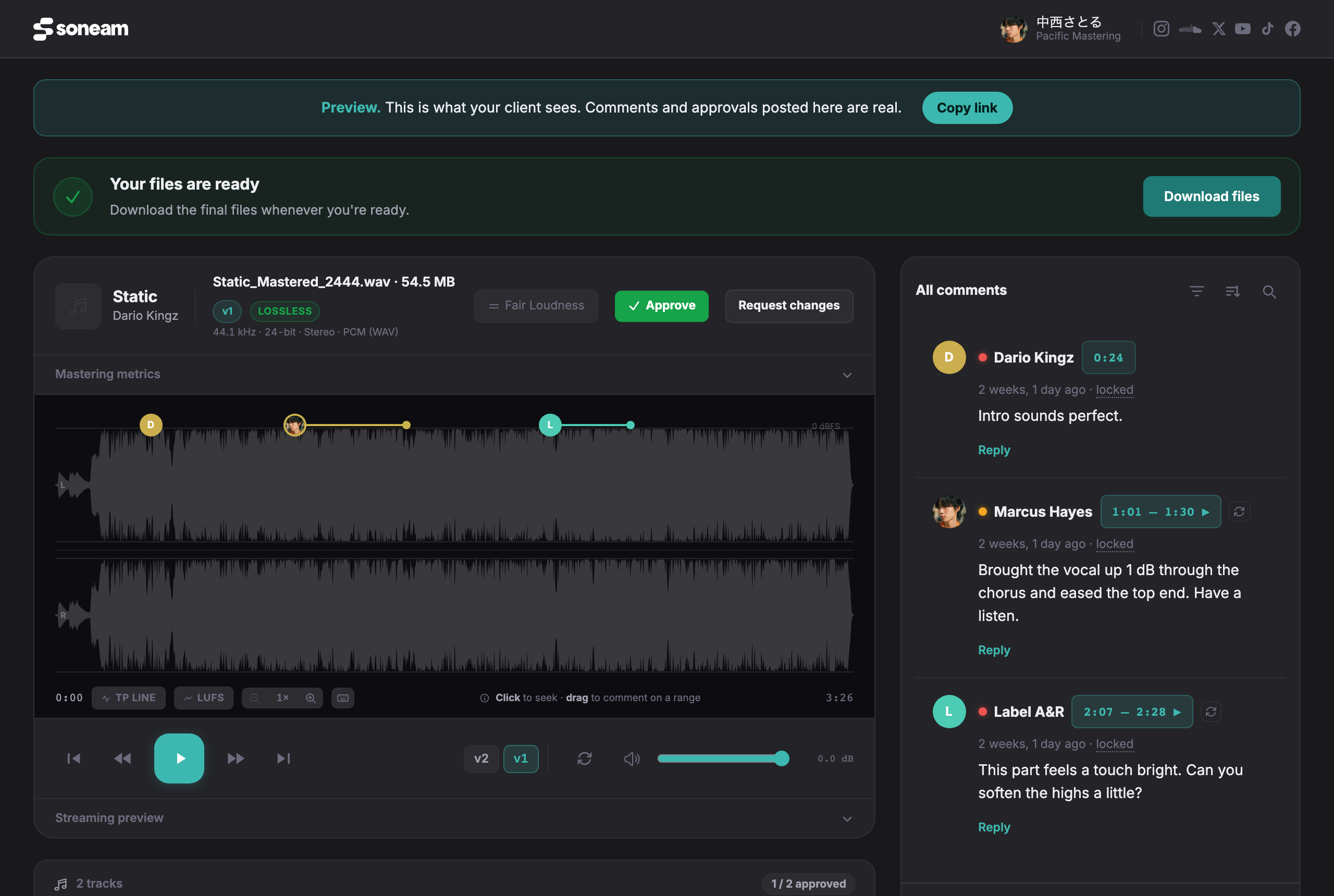
A reply such as “sounds good” in an email does not say which file it refers to. In Soneam the client listens on the review page and presses Approve on the version they accept. If they want changes, they press Request changes or leave comments on the waveform instead. Neither needs an account.
Approving records the name the client types, an optional email address, a note, the time in UTC, the IP address and the exact version of each track. By default you receive an email, and the record can be printed. Soneam does not verify the person’s identity, and the record is not an electronic signature.
-
Upload the mix. Copy the project’s review link and send it to the client in the conversation you already use.
-
Ask the client to listen and either leave comments, press Request changes, or press Approve on the version they accept.
-
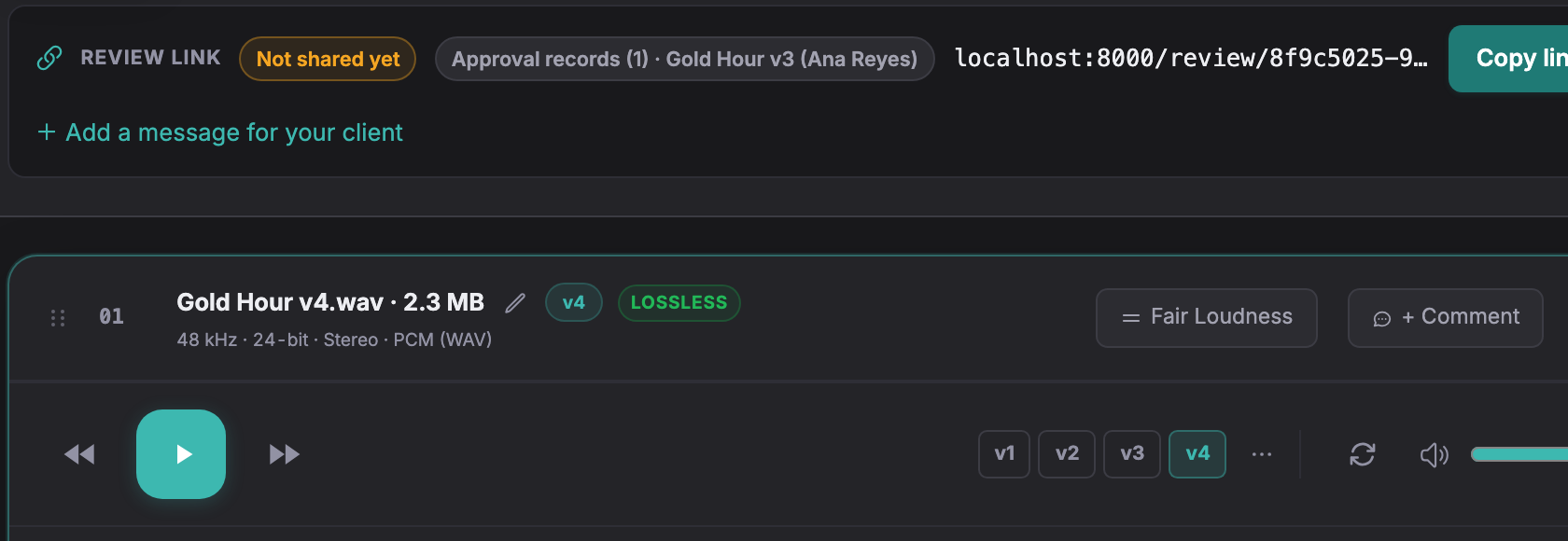
When the client approves, the project shows Approval records beside the review link, with the approved version and the name. The player shows the current version, so you can see at once whether they match.
A message you can send with the link
Here is v3 of Gold Hour: [review link]. Please listen to the whole track. If it is ready, press Approve on v3. If anything needs changing, press Request changes, or leave a comment at the moment it happens. A reply in this chat will not be recorded as approval.
Name the version in the message and on the page. If you upload v4 before they answer, send the message again with the new number.
What the record does and does not settle
An approval does not stop a client from asking for more changes later. It shows which version they signed off and when, so a later request can be discussed as a new round. Agree how many rounds are included before you start; Soneam does not count rounds for you.
If you upload a new version after approval, the earlier approval stays with the version it was given to. Ask the client to approve the new version as well. A client can also withdraw an approval; the record then shows it as withdrawn rather than deleting it.
Try it in Soneam
Explore the client review page. The public demo does not accept approvals; to try approval with your own mix, create a free account.
You need a free account to upload a mix. Your clients do not need one to listen or comment.
Not covered here? Write to support@soneam.com.